Most password advice is a decade old: work in a capital letter, add a symbol, change it every ninety days. The federal standard that much of it came from now says the opposite on two of those three points, and has for years. What replaced it is easier to follow and harder to break, and it fits in three rules that take an evening to apply across every account you own.
What Makes a Password Strong?
Three properties, in this order. Everything else people tell you about passwords is a consequence of one of them or is out of date.
| Rule | What it stops | The test |
|---|---|---|
| Long | Offline cracking after a site is breached | 15 characters at the absolute minimum, 16 or more preferred |
| Unique | Your other accounts falling with the breached one | No two accounts share a password. None |
| Random | Guessing from what is publicly known about you | Nothing in it is a name, date, team, pet or street you are attached to |
The length floor is not a matter of opinion. NIST Special Publication 800-63B revision 4, the standard that US federal systems are built to, requires that services "SHALL require passwords that are used as a single-factor authentication mechanism to be a minimum of 15 characters in length", and that they permit "a maximum password length of at least 64 characters". Eight is permitted only where the password is one factor among several. CISA's public guidance goes one further and asks for at least 16.
Uniqueness is the rule people break, and it is the expensive one. Randomness is the rule people think they are following when they are not: a password built from a birthday, a child's name and an exclamation mark is short, guessable and probably reused.
None of this replaces a second factor. A perfect password still gets handed over if it is typed into a phishing page, and length does nothing about that. The password's job is to survive the breach of a site you cannot control.
How to Create a Strong Password
There are three legitimate methods. Pick by what the password is for.
- Let a password manager generate it. This is the right answer for almost every account. Open the manager, use its generator, take twenty or more random characters, and never look at the password again. You are not going to type it, so its ugliness costs you nothing. Use this for everything you log into through the manager.
- Build a passphrase from unrelated words. For the handful you have to type from memory, string together four to seven words that have no connection to each other or to you, which is exactly the range CISA recommends. Its own worked examples run from four words to six, each longer one rated stronger than the last. Add a number or a separator if the site insists. This is the method for your device login, your password manager's master password, and your email if you ever sign in on a machine without the manager.
- Use the sentence method. Take a sentence only you would say, and use it whole rather than reducing it to initials. Length is what you are buying, and a full sentence with spaces gets you there faster than an acronym does. Most services accept spaces; the standard says they should.
What none of the three involves is thinking one up. Human-chosen passwords cluster in predictable places, which is why the same few thousand appear in every breach corpus. If you invented it, an attacker's word list has probably met something close to it.
Two things to avoid whichever method you use. Do not build a password out of anything a stranger could learn from your social accounts in ten minutes. And do not use a pattern you will repeat: adding the site's name to a base password is reuse with extra steps, and cracking tools have handled that variation for a long time.
How Long Should a Password Be?
Fifteen characters is the floor for a password standing on its own, sixteen or more is the target, and there is no practical upper limit worth worrying about because the standard requires services to accept at least sixty-four.
Length matters more than any other property because of what happens after a breach. When a company's password database is stolen, the attacker is no longer limited by the login screen. NIST's own appendix puts it plainly: offline, an attacker's "current ability to compute many billions of hashes per second in an offline environment that is not subject to rate limiting requires passwords to be orders of magnitude more complex than those expected to resist only online attacks."
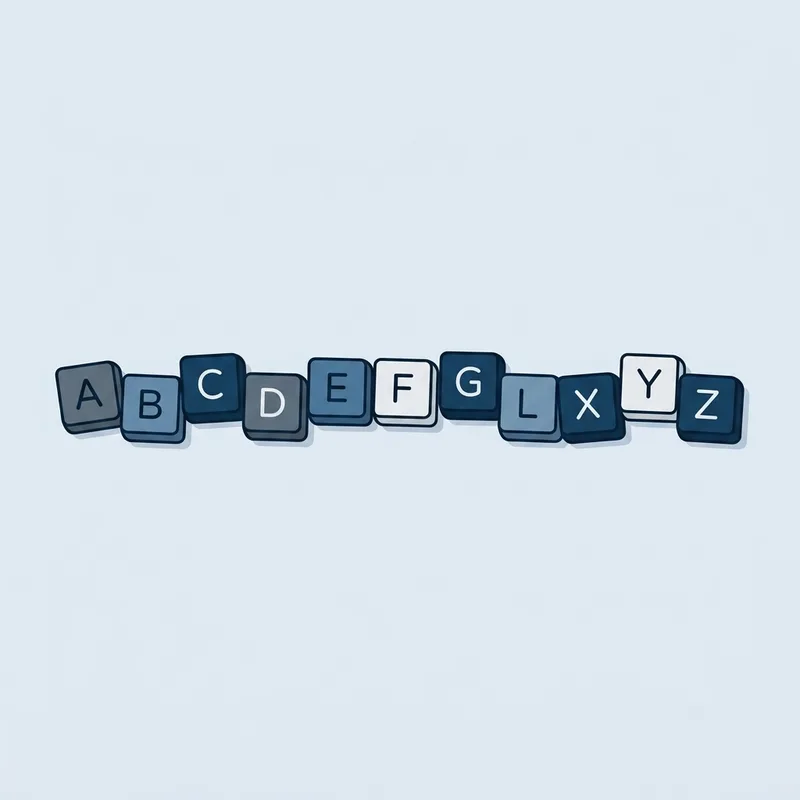
Every character you add multiplies the work. Every symbol you add in place of a character does not. That is the whole reason the advice changed: eight characters with a symbol jammed in the middle is a much smaller problem for a cracking rig than sixteen plain lowercase letters.
The eight-character question comes up constantly, because plenty of sites still allow it. An eight-character password is only defensible as one factor inside a multi-factor login, which is exactly the exception the standard carves out. On its own it is below the floor.
Do Strong Passwords Need Numbers and Symbols?
No, and the standard now forbids services from demanding them. NIST states that verifiers "SHALL NOT impose other composition rules (e.g., requiring mixtures of different character types) for passwords."
The reason is in the same document's appendix, and it is the most useful sentence in the whole subject: a user who would have chosen "password" is "relatively likely to choose 'Password1' if required to include an uppercase letter and a number", or "Password1!" if a symbol is required too. The rule did not produce a strong password. It produced a predictable transformation of a weak one, and attackers have that transformation in their tools.
The one thing worth keeping from the old advice is variety within randomness: when a machine generates the password, letting it use the full character set costs you nothing, because you are not the one typing it.
How to Create a Strong Password You Can Remember
You only have to remember three or four. The master password for your password manager, your device login, and usually your email. Everything else lives in the vault.
For those few, unrelated words are the method. Pick words that have nothing to do with each other and nothing to do with you, say them in an order that is silly rather than sensible, and let the length do the work. "Copper Wander Trellis Almond" is longer than most people's most complex password, easier to type, and easier to keep in your head after two days of use.
What breaks a passphrase is meaning. A quote, a lyric, a team and a year, or four words that form a phrase somebody else has also written down: all of those are in word lists. The strength comes from the words being unrelated, not from there being several of them.
Three practical notes. Write the passphrase down on paper while you learn it and destroy the paper once it is in your head, which is safer than choosing something weak enough to be obvious. Type it in a few times deliberately on the day you set it rather than waiting for the next login. And never store the master password inside the vault it opens.
How Often Should You Change Your Password?
When there is a reason, and not on a schedule. NIST is explicit: verifiers "SHALL NOT require subscribers to change passwords periodically", and "SHALL force a change if there is evidence that the authenticator has been compromised."
The reasons to change one:
- It appeared in a breach, or the service told you to.
- You used it somewhere else, ever.
- You typed it into a page you later realized was fake.
- Someone watched you type it, or you shared it with a person who no longer needs it.
- It is under fifteen characters and standing on its own.
How to Check If Your Password Has Been Leaked
Have I Been Pwned's Pwned Passwords service searches the passwords collected from public breaches. It is safe to use: only the first five characters of your password's SHA-1 hash are sent to the service, so the password itself never leaves your browser. On a hit, the site's own wording is unambiguous: the password "has previously appeared in a data breach and should never be used", and if you have ever used it anywhere, change it immediately.
Most good password managers run this check for you across the whole vault and flag reused, weak and leaked entries in one screen. That report is the fastest hour of security work available to most people.
If your password turns up in a breach you did not know about, the wider sequence is in what to do after a data breach.
Common Password Mistakes to Avoid
The single most costly one is reuse, and it is worth seeing why, because "use a different password everywhere" sounds like fussiness until you follow the chain.
- A site you used is breachedIts stored password data is copied out
- The stored passwords are cracked offlineBillions of guesses per second, with no login screen slowing anything down
- Email and password go on a listSold or published, often long before the breach is announced
- The pair is tried everywhereAutomated against banks, email, retailers and cloud storage
- A unique password stops it hereThe stolen pair works only on the site that leaked it
Email addresses leak constantly, which supplies half of every pair in step four for free. One report on this site alone accounts for 55.3 million of them, in the Suno breach. The half you control is the password.
The other mistakes, in rough order of how often they cost people something:
- Patterns across accounts. A base password with the site's name bolted on is reuse.
- Recycling old passwords. The one you retired two years ago is on a list.
- Sharing by message. A password sent over chat or email now lives in two mailboxes indefinitely.
- Storing them in a browser's basic saved-passwords list on a shared or unencrypted machine.
- Truthful security questions. Your mother's maiden name and your first school are public records.
How to Store Your Passwords Safely
A password manager is the only method that makes the three rules survivable at the scale of a real life. It generates the random ones, it holds the unique ones, and it fills them in for you. The standard backs this: verifiers "SHALL allow the use of password managers and autofill functionality", and should permit pasting into password fields.
Four things to get right when you set one up:
- The master password is a passphrase, long, unique, never used anywhere else, never stored in the vault.
- Turn on a second factor for the vault itself. It is the one account that opens all the others.
- Save the recovery kit or emergency codes somewhere physical. Losing access to the vault is the realistic failure mode, not the vault being cracked.
- Prefer autofill to copy and paste. A manager that refuses to fill a login page is telling you the domain is wrong, which is a phishing alarm you get for free.
A browser's built-in manager is a real improvement on reusing one password everywhere, and for many people it is enough. A dedicated manager wins on cross-browser use, on sharing entries with a partner or a team, and on the audit report that tells you which of your passwords are leaked.
Key takeaways
- Long, unique, random. In that order, and nothing else matters as much.
- Fifteen characters is the federal minimum for a password used on its own, sixteen or more is better, and services must accept at least sixty-four.
- Numbers and symbols are not required and never were the point. Services are now told not to demand them, because people respond to the demand predictably.
- Four to seven unrelated words is the easiest way to reach real length and still type it from memory.
- Do not change passwords on a schedule. Change them when there is evidence of compromise.
- Check your password against Have I Been Pwned. A listed password is already on a guess list.
- Answer security questions with random text stored in your password manager, not with the truth.
Common questions
What is an example of a strong password?
Two shapes qualify. A generated string such as "7hQ2vX9pLm4WzT8rKd3B", which you never type because the manager fills it, or a passphrase of unrelated words such as "Copper Wander Trellis Almond". Both clear fifteen characters and neither contains anything about you. Do not use either of these two; they are now published.
What is a strong 8 character password example?
There is not one worth recommending. Eight characters is below the current federal minimum of fifteen for a password used on its own, and it is only acceptable as one factor inside a multi-factor login. If a site caps you at eight, use eight random characters from a generator, turn on a second factor, and do not reuse that password anywhere.
What is the 8 4 rule for creating strong passwords?
An older policy shorthand: at least 8 characters using all 4 character types, meaning uppercase, lowercase, numbers and symbols. It is obsolete. The current guidance raises the length floor well above eight and drops the character-type requirement entirely, because forced mixes produce predictable results such as "Password1!".
What is a 12 character strong password example?
Twelve is better than eight and still short of the fifteen-character floor for a password standing alone. A twelve-character example would be a generated string like "Rk9tWm2xQv6L", but if the site allows more, take more. Length is the cheapest strength you can buy.
How long should a password be?
At least 15 characters when it is the only thing protecting the account, and 16 or more if you want margin. Services are required to accept at least 64, so there is room. Eight is only acceptable as one factor among several.
Do I need to change my password every 90 days?
No. The standard tells services not to require periodic changes, because forced resets produce iterated passwords rather than strong ones. Change a password when it has leaked, when you reused it, when you may have typed it into a fake page, or when someone else has seen it.
Are passphrases really more secure than complex passwords?
Yes, when the words are unrelated. Four random words beat eight characters of punctuation on both strength and memorability. What breaks a passphrase is meaning: a quote, a lyric or a familiar phrase is already in an attacker's word list.
Is it safe to store passwords in a password manager?
Yes, and it is safer than the alternatives you would otherwise use. The vault is encrypted with a key derived from your master password, which the provider does not hold. The risk that matters is losing access, so use a strong master passphrase, add a second factor, and keep the recovery kit somewhere physical.
How do I know if my password has been leaked?
Check it at Have I Been Pwned's Pwned Passwords page, which only sends the first five characters of your password's hash, or run the built-in audit in your password manager. Either will tell you which of your passwords appear in public breach data.
Should I write my passwords down?
Written on paper and kept somewhere private, it is far better than reusing one weak password everywhere, and it is how many people bridge to a password manager. What it is not is a system that scales past a few accounts, and paper in a wallet or stuck to a monitor is a different question entirely.
On this page
- What Makes a Password Strong?
- How to Create a Strong Password
- How Long Should a Password Be?
- Do Strong Passwords Need Numbers and Symbols?
- How to Create a Strong Password You Can Remember
- How Often Should You Change Your Password?
- How to Check If Your Password Has Been Leaked
- Common Password Mistakes to Avoid
- How to Store Your Passwords Safely

Daniel Reyes
Daniel Reyes is a CISSP who spent twelve years in security operations, most recently leading a detection and response team for a mid-sized healthcare group in Texas. He reviews every resource and breach report on Cyber Security Firms for technical accuracy before it publishes.
Most of the people he has trained arrived having been told too much: a dozen acronyms, six vendors, and no clear idea which risk was theirs. His approach is to explain what an attack actually does before naming the tool that stops it, on the basis that most breaches start with something a reader could have recognised.