The question almost always arrives with a symptom attached. The laptop got slow. A friend says they got a strange message. A code arrived by text that nobody asked for. Symptoms are where people start and they are the worst evidence available, because a slow laptop is usually a full disk and a strange message is usually a spoofed sender. The real answer is not hidden. Every major account keeps a record of who signed in, from where and on what device, and reading those records takes about ten minutes.
How to Know If You Have Been Hacked
There are three kinds of evidence, and they are not equal.
A symptom is something you noticed: a slow device, a pop-up, a message a friend received. Symptoms usually have innocent explanations, and they are what every list of warning signs is made of. Mail that appears to come from you is normally a spoofed sender address, which needs no access to your account at all.
An alert is the provider telling you something: a new sign-in notification, a password change confirmation, a verification code you did not request. Alerts are far stronger, because a system watching the account produced them rather than you noticing something.
A record is a log you can read yourself: the devices signed in to your account, the recent sign-in locations, the forwarding rules on your mailbox, the apps you have granted access. Records settle the question, and they are the part almost nobody opens.
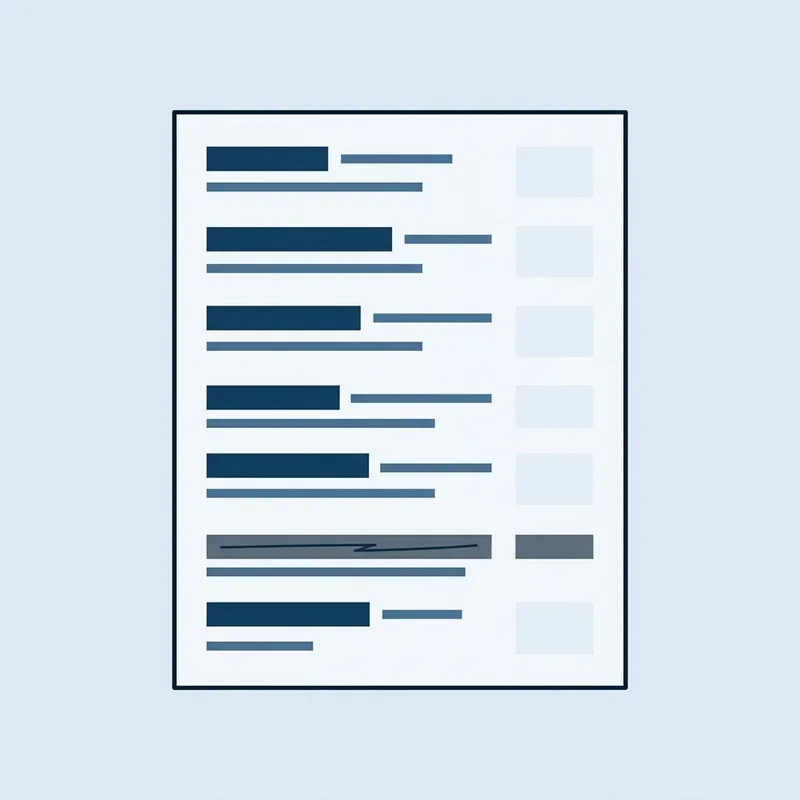
- Password obtainedFrom a breach corpus, a phishing page, or reuse across sites
- Sign-in attemptThe provider often emails a new device alert here
- Second factor defeated or absentA code relayed through a fake page, or no second factor at all
- Persistence addedA forwarding rule, a new recovery email, an app granted access
- Password reset elsewhereYour mailbox is used to take other accounts
- The record survivesThe session list and the rules page still show all of it
Passwords lifted from one site and tried on another are the ordinary route in, and that reuse attack has a name: credential stuffing. It explains why an account can be taken over with no phishing email, no malware and nothing at all for you to have noticed.
Can You Check If You Have Been Hacked?
You can, and four checks cover most of what an ordinary person needs to know. Run them in this order, because each one either rules out the next or makes it urgent.
-
Check your email account first. Everything else resets through it. The Federal Trade Commission puts the reason plainly in its guidance on recovering a hacked account: whoever controls your mailbox receives the password reset links for every other account you own. Google's guidance on a compromised account tells you to review the recovery phone number, the recovery email address, the contact address, the account name and the apps with access, then remove any signed-in device you do not recognize. On an Apple Account the equivalent list sits in account settings, and Apple counts trusted devices you did not add among the signs of compromise.
-
Read the mailbox rules. Open the filters and forwarding settings and look for a rule you did not create, especially one forwarding mail to an outside address or filing messages from your bank straight into the archive. The FTC's recovery steps include checking forwarding rules, the sent folder for messages you did not write, and the deleted folder for mail somebody read and disposed of.
-
Check the money. The FTC's four tells for identity theft are a bill that stops arriving, charges you did not make, withdrawals you did not make, and accounts on your credit report you do not recognize. A charge you do not recognize counts whatever its size, so read the small lines rather than scanning for a big one.
-
Search your address on Have I Been Pwned. The service holds records from 1,034 breached websites covering 17,805,159,840 addresses, so a hit is common and proves only that a company you used lost data. It tells you which password to treat as burned.
A password manager makes the fourth check considerably faster, because it can tell you in one screen which of your saved passwords appear in a known breach and which are reused across sites.
What Are the First Signs of Being Hacked?
The signs differ by surface, and so does the sign that is worth acting on.
The one that matters: a sign-in from a device or location you do not recognize, or a forwarding rule you did not create. The one that usually does not: friends reporting mail from you, since spoofing needs nothing more than your name and address, both public. Check the sent folder first. If the messages are in it, the account is compromised. If it is empty, someone is forging your name.
Bank and payment cards
The one that matters: a small charge you cannot place, or a statement that stops arriving in the mail. The one that usually does not: a declined transaction, far more often a fraud filter working correctly than evidence of anything.
Social media
The one that matters: posts, follows or direct messages you did not send, and a change to the recovery email or phone number. The one that usually does not: a duplicate account using your photos, which is impersonation rather than access and is fixed by reporting the clone.
Phone
The one that matters: losing cellular signal for no reason while other phones nearby are fine, which is what a SIM swap looks like from the victim's side. The one that usually does not: heavier battery use, which shifts with an operating system update, a new app or an aging battery.
Work account
The one that matters: anything at all. A single sign-in alert from an unfamiliar location on a work account is an incident, because that account is a door into a network holding other people's data.
Where a message prompted the worry, the tells that give away a phishing email settle whether anything happened at all, since one you opened but did not act on has usually cost you nothing.
Can I Test to See If My Phone Is Hacked?
There is no single test, and any app promising one is selling a scan that cannot see what it claims to see. What exists instead is a short set of checks, and they look at accounts and configuration rather than at the hardware.
Open your Apple Account or Google Account on the phone and read the list of devices signed in. On iPhone, check Settings for a configuration profile or a VPN you did not install. On Android, look at which apps hold device administrator rights and which have accessibility permissions, since those two are what surveillance software asks for. Then sign in to your carrier account and check that no port-out request or SIM change is pending.
That last check is the one almost nobody runs and the one that matters most, because a SIM swap moves your second factor to someone else's phone without touching your device at all.
Genuine phone spyware exists, and it is rarer than the internet suggests. Apple runs a notification program for people it believes have been individually targeted, and its description of that program states that the vast majority of users will never be targeted by such attacks, which cost millions of dollars, are aimed at named individuals, and often have a short shelf life. Journalists, activists and senior executives should take the possibility seriously and turn on the hardened modes both platforms now offer. For everyone else, the likelier explanation for a phone behaving oddly is an app, an update, or ordinary malware from a sideloaded download.
Can You Be Hacked Without Knowing?
Routinely, and for months. IBM's Cost of a Data Breach Report 2026 puts the mean time to identify a breach at 183 days, with another 64 days to contain it, 247 days in total. Those are organizations with security teams and logging. An individual with neither is not doing better.
The other route to finding out is that you never notice anything, because nothing happened on your device at all. Your data was taken from a company that held it, which is what a data breach is, and the first news reaches you as a notification letter or a match on a breach search months after the fact.
What to Do If You Have Been Hacked
Order matters, because several of these steps undo each other out of sequence. Do all of it from a device you have reason to trust, which is not the one showing symptoms.
If the trigger was a company losing your data rather than an account of yours being entered, the sequence for what to do after a data breach covers reading the notice, working out which data classes were exposed and matching the response to them. Where a Social Security number, a date of birth or a government ID was in that data, the most useful action is to freeze your credit at all three bureaus, which is free and blocks new accounts being opened in your name.
How to Prevent Being Hacked Again
Recovery without hardening buys a few weeks. The list below is short because the effective controls are few.
Key takeaways
- Symptoms mislead, provider alerts are strong evidence, and account records settle it. Read the records.
- Check email first, because every other account resets through it.
- A verification code you did not request means someone already has your password.
- A forwarding rule you did not create is the clearest proof of a compromised mailbox, and changing the password does not remove it.
- On a phone, the meaningful checks are the account device list, installed profiles or admin apps, and your carrier account. Battery drain is not a signal.
- Compromises go unnoticed for months, and on a work account you report before you touch anything.
Common questions
What is the first thing you should do if you get hacked?
Change your email password from a device you trust, then sign out of all sessions on that account. Everything else resets through your mailbox, so securing it first stops the attacker taking the rest while you work through the list.
How do I check if someone is logged into my email?
Open your email account's security settings and find the list of devices or active sessions. Gmail shows recent security activity and signed-in devices; Outlook and Apple Accounts have equivalent pages. Any device or location you do not recognize means someone else has access, and there is a control on the same page to sign them out.
Can you be hacked if you did not click anything?
Yes. The most common route needs nothing from you at all: a password stolen in a breach at some other company gets tried against your accounts. That is why unique passwords and multi-factor authentication matter more than being careful with links.
Is my email hacked or just spoofed?
Spoofing, in most cases. Writing your address onto mail sent from somebody else's server needs your name and nothing else, and gets them into nothing of yours. Your sent folder separates the two: copies sitting in it mean the account itself was entered and the password has to change, and an empty one means there is nothing on your side to fix.
Does resetting my phone remove a hacker?
A factory reset removes software on the device, which helps if the problem was an installed app. It does nothing about a compromised account, because signing back in restores the same access, and nothing about a SIM swap, which happened at the carrier. Change passwords and check the account device lists as well as resetting.
Can someone hack my phone by calling me?
Answering a call does not give anyone access to the phone. What a call can do is talk you into something: reading back a verification code, installing a remote support app, or confirming details used later to convince your carrier to transfer your number. The risk is the conversation, not the connection.
Should I change all my passwords if I have been hacked?
Change the email password first, then every account that shared that password or a close variation of it, then anything holding money. Changing hundreds of unrelated passwords in one sitting usually ends with weaker passwords, so use a password manager to work through them steadily instead.
Does antivirus tell you if you have been hacked?
Only when the compromise left a file on the machine. Most account takeovers leave nothing on disk at all, because the attacker used your real password at the provider's own login page and never touched your hardware. Keep antivirus running for what it does catch, and settle this question from the account's device list instead.
How do I know if my Wi-Fi has been hacked?
Sign in to your router's admin page and look at the list of connected devices for anything you cannot account for, then check whether the admin password is still the one you set. Devices you do not recognize, a changed DNS server setting, or an admin password that no longer works are the meaningful signs.

Daniel Reyes
Daniel Reyes is a CISSP who spent twelve years in security operations, most recently leading a detection and response team for a mid-sized healthcare group in Texas. He reviews every resource and breach report on Cyber Security Firms for technical accuracy before it publishes.
Most of the people he has trained arrived having been told too much: a dozen acronyms, six vendors, and no clear idea which risk was theirs. His approach is to explain what an attack actually does before naming the tool that stops it, on the basis that most breaches start with something a reader could have recognised.